
My home setup for reference: I use a Macbook Pro on the kitchen table. When I get up in the morning I watch Youtube for news and i might browse the web when I have my morning cup. I have an old-ish HP laptop running Windows 11 at my desk, mainly for audio duties, ripping cds, chopping up FLAC-files and playing audio using Roon. The occassional terminal session to my Linux boxes.
Thing is, i've never been much of a Windows user. Sure, I use it for work, but it's mainly a terminal for reaching my Linux systems. Back in the day I was an OS/2 user, always the rebel! :)
I have been testing using Linux as desktop through the years, for as far back as the late 90s when I used a boxed RedHat Workstation for a while (I was there for the Ximian craze). But there were always niggles, not so much that you needed to go to the command line to do stuff, but things just not working no matter what.
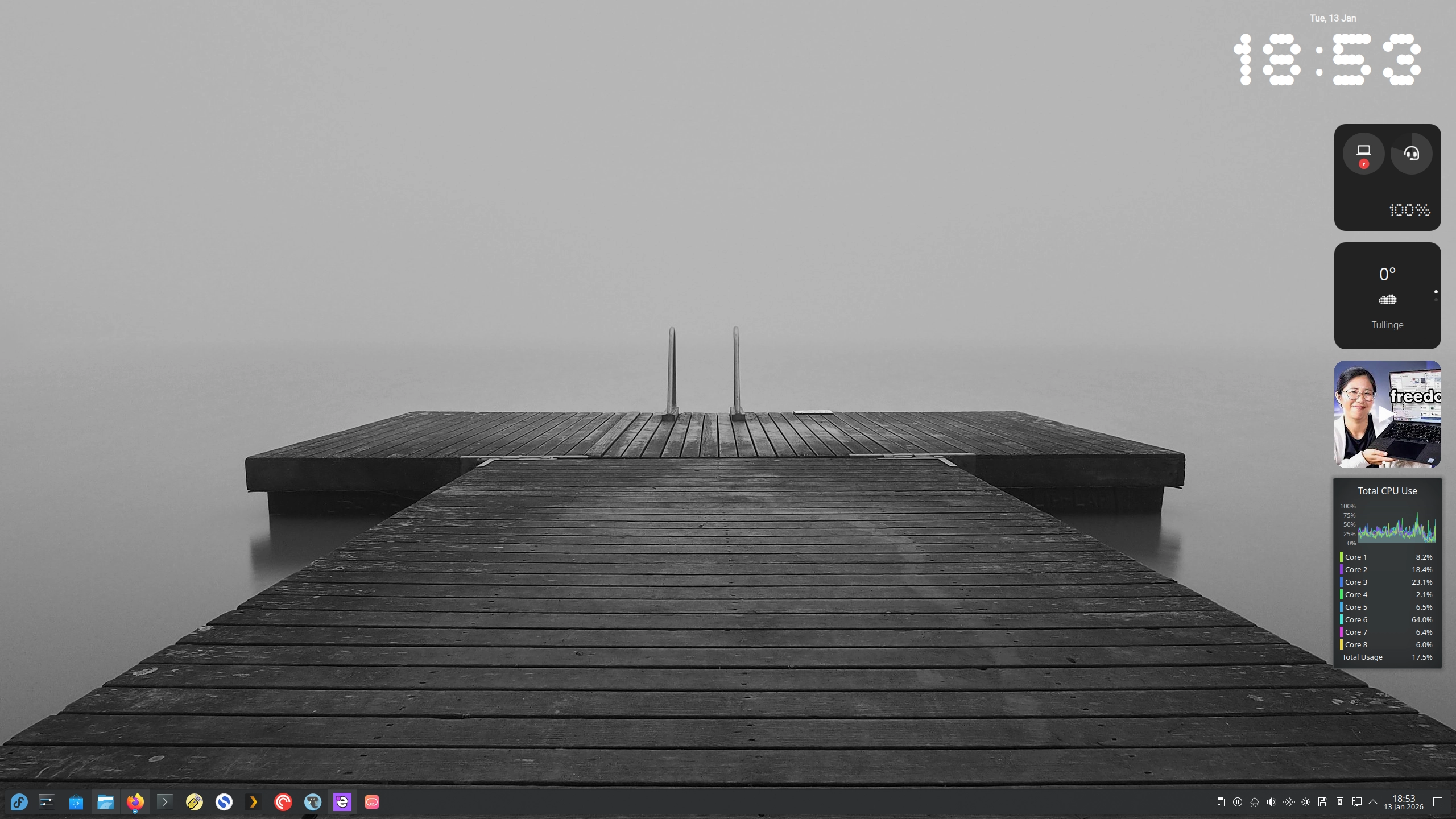
But I have heard good things about Fedora and decided to break my GNOME habit and installed Fedora KDE Plasma Desktop (43). This video from Switch and Click pushed me over the edge.
It was a shock to my system. Everything worked out of the box!
I made a list of software I used on Windows and wanted on Linux. It turns out (of course) not all software is available for Linux but there are usually alternatives.
Some of the software I use that’s available:
SimpleNote - Notetaking app that syncs between my devices.
Plex - Video streaming client.
PlexAmp - Audio streaming client.
Pocket Casts - Pod client.
Discord - Chat.
Flacon - Audio encoder.
Ente Auth - my 2FA.
Some alternatives I stumbled over and kept:
K3b, this replaced EAC, Exact Audio Copy, my audio cd-ripper.
Remmina, this replaced my VNC/RDP-Viewer on Windows.
The Roon client GUI was a major hurdle but RoonCommandLine, Roon TUI and Community Remote (a basic GUI) works but none of them are ideal or pretty.
There's no native Qobuz client but their web player works just fine.
pCloud Pass has a web interface, no native Linux client.
And the extra cli Tools that I use were a breeze to install:
All of my USB devices worked out of the box, mouse, keyboard, Dell USB-dock (connected to wired network and monitor), DAC (Digital to Analogue Converter), camera, cd/dvd-player, floppy. It just worked.
The Dolphin file manager (Windows Explorer/macOS Finder equivalent), while I'm not a fan of the look, works just fine. It was a breeze to add my SMB share on my NAS to the menu.
Bluetooth was another nice out-of-the-box experince and just worked with my headphones. Very nice!
Another nice touch was KDE Connect, install the KDE Connect app on your android phone and you get sms as notifications on your desktop and can reply straight from your computer and you can share clipboard. The phone also shows up in Dolphin and you can brose the file system on your phone from your desktop and copy files. Amazing!
There is also software to mirror your android phones screen, scrcpy, to your desktop and interact with it. Again, amazing!
This replicates closely what my Mac and iPhone used to work like, a nice bonus.
Roon was the only remaining obstacle so far. While Linux is the preferred Roon server platform, there is no official GUI for Roon on Linux, only Windows and macOS.
However, RoonBridge was a breeze to download and install. RooNbridge scans your machine for audio hardware and enables them as Roon Endpoints, meaning Roon can send audio to them.
After installing it my DAC dutifully showed up in Roon without a problem but I still needed a device to actually control playing music.
Turns out there are several ways to do it from within Linux, RoonCommandLine is a command line interface to Roon which is every bit as cumbersome as you think.
Then there's Roon TUI, Text User Interface, which brings a menu system to playing. Not ideal, but works in a pinch.
Lastly, there's a Community Remote, a basic GUI for playing music. This works way better for me, and although ugly it does the job.
I also tried just mirroring my phone to the desktop and controlling Roon that way but having my phone with the screen on all the time is a real drain on the battery.
Another approach was using an old iPad, propped up between the keyboard and my monitor for controlling Roon. This turned out pretty well but the iPad is slightly too large, an iPad mini would be about right.
So now i'm thinking of getting a small(ish) android tablet to run Roons full GUI on and mirror it to my desktop so I can control it from there. We'll see what I eventually settle on. Maybe a DAP with Android on it?
Qobuz web player, in contrast, is very close to the app experience so it doesn't bother me.
KDE supports widgets (in the form of Extensions) and there's a set of Nothing OS-styled Widgets that I installed and they look very nice indeed. Even the Bluetooth widget worked out of the box in Fedora 43.
For Mastodon, I use Tokodon, it's basic but does the job.
This experience has made me very confident I can live with a Linux laptop when it's time to throw out the Macbook Pro. Besides Roon, which quite frankly is very niche, it has completely and utterly exceeded my expectations.
2026, the year of the Linux Desktop?!